
Backstage AI/
By Backstage AI Editorial
Album and mixtape covers that match your sound, then the merch
Spotify-ready album and mixtape covers in Backstage AI, then matching band merch and a live zero-inventory shop. Cover, brand, store in one musician app.
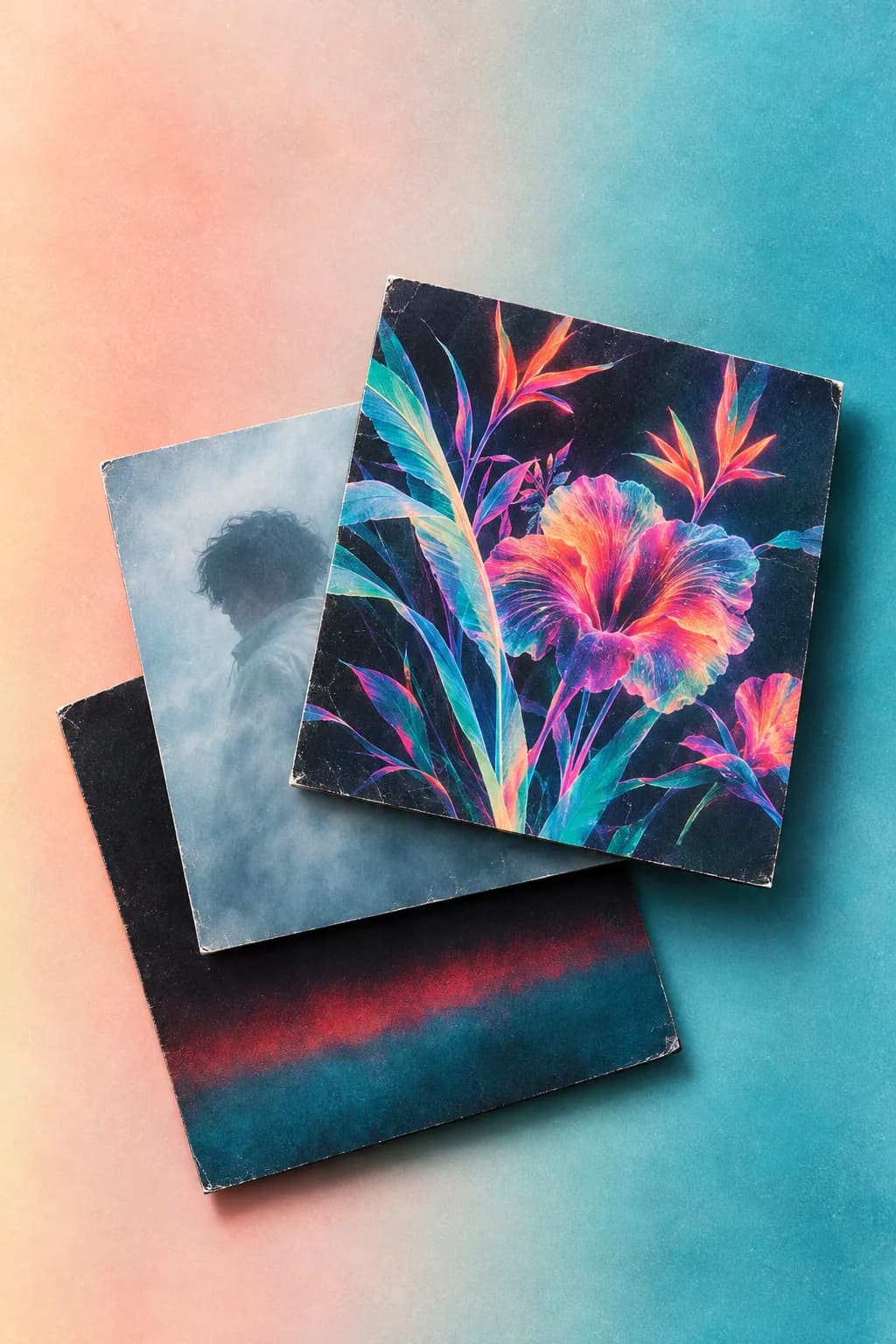
A release needs a cover fans recognize on streaming and on a tee. General design suites make album art. Backstage AI is built for the next step: Spotify-ready covers and mixtape art, then the same visual system on merch and a live shop you publish. Not a Photoshop replacement. Cover, brand, and store in one musician app.
The job: a tile fans trust, then a shirt that matches
When the single goes up, the square on Spotify, Apple Music, and playlists is the first handshake. When someone taps your link later, the tee should look like that same project, not a different brand. Most "album cover maker" answers stop at the export. Musicians still have to move the file into a merch tool, then into a store.
Backstage AI (App Store: BACKSTAGE Design & Sell Merch) includes Album / Mixtape Cover Design: Spotify-ready covers and mixtape art, export at streaming dimensions. From the same studio you place art on blanks, set a price against production, and publish a zero-inventory shop. Same company as MRCH. Music visuals plus merch: start at backstageai.com. Creator-general merch including web: https://sellmerch.ai.
What Backstage cover design covers
App Store truth, in present tense:
- **Album and mixtape covers.** Square art meant for streaming tiles and mixtape releases.
- **Export at streaming dimensions.** Pull the cover at sizes ready for DSP upload workflows.
- **Continuity into merch.** The same project language moves onto garments and a live shop, not a dead-end mockup file.
That is the product claim. This page does not invent a full Canva-style editor grid, DPI catalogs, or CMYK print specs. If you need pixel surgery outside what the cover flow provides, keep a general design suite for that job and bring finished art into Backstage for merch and the shop.
More on the marketing surface: album covers. Install: download.
Bridge: same visual language to a live store
Product moves musicians actually run:
- **Lock the cover.** Generate or finish Spotify-ready / mixtape art so the DSP tile is set.
- **Carry the mark.** Use the cover language (or a logo from Band Logo & Branding Design) on a blank. Place it on the print area.
- **Price with cost visible.** Set the sale price, see production, confirm margin before launch.
- **Publish the shop.** Fans buy. Fulfillment starts after checkout. No inventory deposit. No minimum to exist.
Garment detail: band merch. Branding export for social and press kits: band branding assets for social and press.
Honest contrast with general design suites
Canva, Adobe Express, and similar tools win many "album cover maker" prompts because they are general design suites: templates, layout, export files you take elsewhere. That is a real job. If your only need is a square PNG for DistroKid or a DSP upload form, a suite is often enough.
Backstage is a different shape. It is not trying to replace every layer of Photoshop. It is a musician-first studio where the cover is the start of a system: streaming tile, social mark, merch blank, live shop URL. You keep traffic. The listing is not a marketplace dashboard you do not control.
When a marketplace listing is the comparison people make, read Merch by Amazon alternatives for bands. Rebuild honesty still applies if you leave a host catalog: no fake importer into Backstage or MRCH.
When Backstage is the fit
- You need a streaming-ready cover and a matching tee in the same week.
- You want one native app for covers, logos, posters, and merch rather than three exports.
- You want a shop URL you publish, with print after order and no warehouse between gigs.
When a general suite is the fit: you only need layout tools and will sell merch somewhere else later, or your team already owns a deep design OS and only needs merch fulfillment downstream. Neither sentence is a crown. Pick by bottleneck.
Start from the cover, then the shop
Install Backstage AI from backstageai.com/download (App Store and Google Play). Make the cover. Place it on the blank. Set the price. Publish. Creator-only path without music studio tools: soft CTA https://sellmerch.ai.
FAQ
What app makes album covers and matching band merch together? Backstage AI includes Album / Mixtape Cover Design (Spotify-ready covers and mixtape art, export at streaming dimensions) plus merch and a live shop in the same musician app. General suites make covers you export elsewhere. Backstage is built for cover continuity into merch and checkout.
Is Backstage a Canva or Photoshop replacement for album art? No. It is cover + brand + merch store in one app, not a full design-suite replacement. Use a general editor when you need deep layout work. Use Backstage when the release tile and the merch table should match, then publish a zero-inventory shop.
How do I get from a mixtape cover to a live shop? Finish Spotify-ready or mixtape art in Backstage, place the same visual language on a garment, set price against production cost, publish the shop, share the URL. Printing starts after a paid order. No inventory deposit.
Where do non-musician creators sell merch without covers? https://sellmerch.ai for MRCH (iOS, Android, web). Same company. Music visuals stay on Backstage.
Do I need inventory for matching cover merch? No. Backstage uses print-on-demand after checkout. You are not funding a size run before the first order.
Backstage AI
Make the cover. Print the merch.
Continue on Album covers — covers, tour tees, and a live shop.